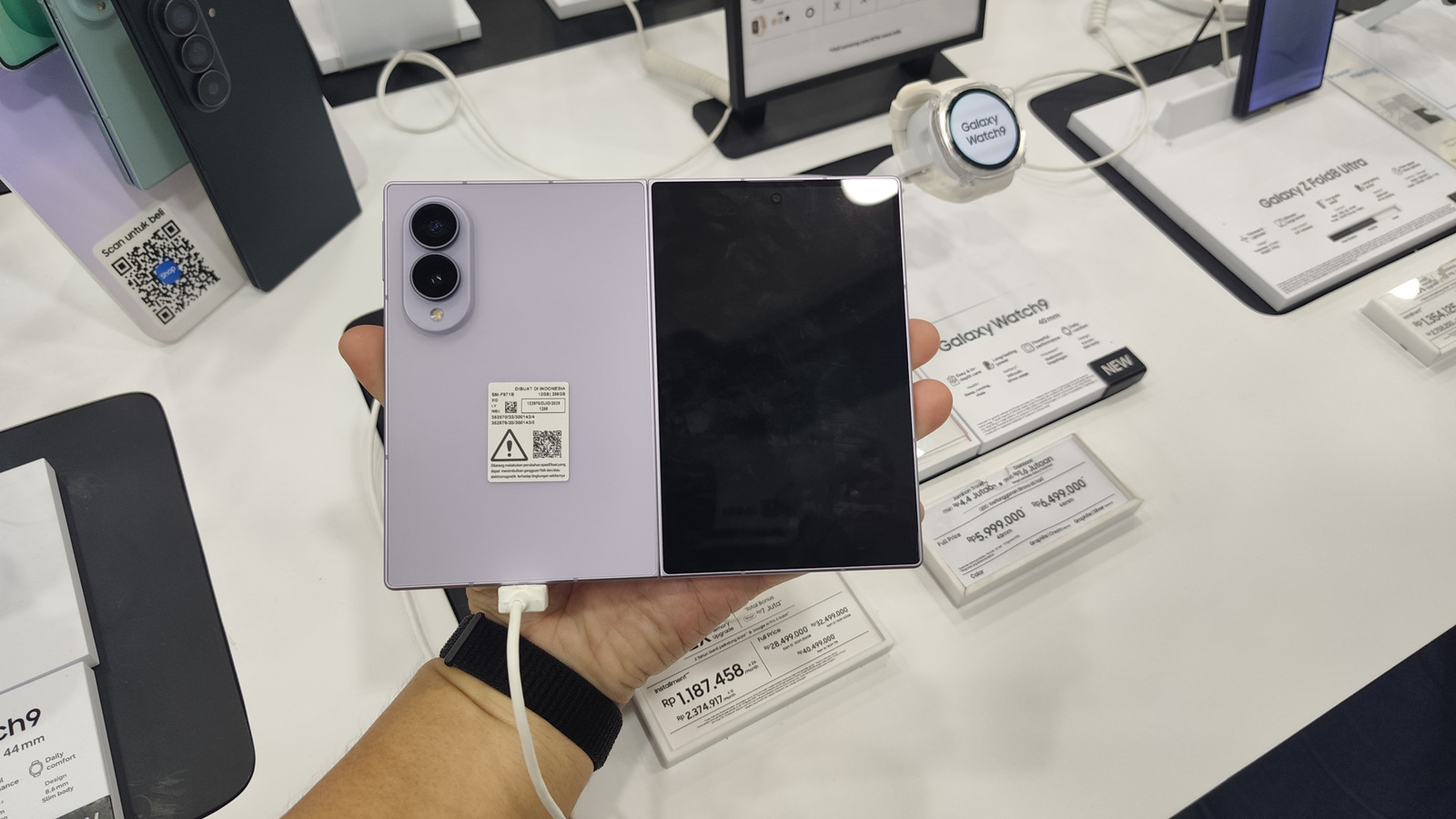
Introduction to Samsung DeX on Z Fold 8 Inner Screen
The Samsung DeX Z Fold 8 inner screen feature, enabled by the Gadesk app, is a significant development in the smartphone industry. This innovation allows power users to experience a desktop-like interface on their foldable device without the need for an external monitor. According to Samsung-focused developer Isaac Egbon, the Gadesk app is a game-changer for Galaxy Z Fold 8 owners, providing a seamless and intuitive way to access DeX mode on the inner screen.
The Gadesk app leverages Android's wireless-debugging feature to trick the system into thinking a monitor is attached, making it possible to run DeX directly on the 7.6-inch inner display. With this feature, users can enjoy a desktop-class UI on their foldable device, expanding the possibilities for work and play. As noted by Engadget, this development can have significant implications for the smartphone industry and the future of productivity.
Technical Workflow Behind the Trick
Gadesk's core mechanism is a two-step emulation process. First, the app activates wireless debugging (ADB over Wi-Fi) and registers a virtual display driver. When the driver reports a connected display, Android's DeX subsystem renders a desktop-class UI as if an HDMI or Cast target existed. Second, Gadesk requests the Accessibility Service permission, allowing it to capture the rendered surface and overlay it onto the Z Fold 8's inner screen. Because the overlay runs at the native resolution of the inner panel (2208 × 1768 px), users experience a crisp desktop without scaling artifacts.
The process requires several manual steps: disabling the Auto Blocker security feature, enabling Developer Options, turning on wireless debugging, pairing the device with a generated code, and finally granting accessibility rights to Gadesk. Once configured, a single tap on "Start desktop" launches DeX in a window that occupies the full inner screen. For more information on how to enable wireless debugging on the Z Fold 8, users can refer to the official Engadget guide, which provides a step-by-step tutorial on the process.
Performance and Usability Considerations
Running DeX on a foldable's internal panel introduces latency that differs from a true external monitor. Wireless debugging adds a round-trip over Wi-Fi, typically incurring 30-50 ms of additional delay, which is perceptible when dragging windows but generally acceptable for office-type tasks. Battery consumption rises modestly; a full-screen DeX session drains the 4,400 mAh battery at roughly 12 % per hour, compared with 8 % when the device is idle.
Gadesk's settings panel mitigates some ergonomic issues. By default, DeX launches in landscape mode, but users can switch to portrait to better match the Z Fold 8's aspect ratio, improving vertical space for document editing. A virtual trackpad overlay provides mouse-like precision, complete with copy/paste shortcuts and adjustable opacity. Gesture customization lets users map three-finger taps to Home and two-finger taps to Back, or disable them entirely.
Cost Structure and Market Impact
The app follows a freemium model: each DeX session is limited to 15 minutes and interspersed with ads. A one-time $20 purchase removes both constraints, positioning Gadesk as a modestly priced productivity add-on. For enterprise deployments, the cost is low enough to justify bulk licensing, especially where companies already provision Samsung devices for remote work. According to a report by Engadget, the integration of DeX mode on the inner screen of the Galaxy Z Fold 8 can enhance smart-home automation and provide a more seamless experience for users.
By enabling DeX without external hardware, Samsung indirectly competes with Microsoft's Surface line and Apple's iPadOS multitasking paradigm. The move could stimulate demand for larger foldable screens, prompting rivals such as Huawei and Xiaomi to prioritize internal-display desktop modes in upcoming devices.
Compatibility and Future Extensions
While the current release targets devices running One UI 8 or later, the underlying technique is platform-agnostic. Gadesk also supports other DeX-capable Galaxy phones and even Google Pixel devices that feature Android's native desktop mode. Future updates may automate the pairing process, reducing the setup steps to a single "Enable DeX" toggle.
Developers should monitor Android's security roadmap, as changes to the Accessibility Service or wireless-debugging APIs could affect Gadesk's functionality. Samsung's own DeX roadmap does not yet mention internal-screen support, suggesting that third-party solutions may fill a niche until an official implementation arrives.
What Users Should Expect Next
Samsung's decision to enable DeX on the Z Fold 8's inner screen will have significant implications for power users and enterprise deployments. Key stakeholders, including IT administrators and business leaders, will need to evaluate the benefits and limitations of this feature. Users can expect the following developments:
Improved wireless debugging stability: Firmware updates that enhance ADB security will be crucial to maintaining the virtual-display handshake.
Optimized battery performance: Samsung may introduce power-saving modes that throttle background services, potentially impacting DeX performance.
Streamlined enterprise policy integration: IT admins will need to assess whether Gadesk's accessibility permissions align with corporate security standards.
The Samsung DeX Z Fold 8 inner screen feature will significantly impact productivity as the smartphone industry evolves. This feature's interface will change how users work and play on their devices.
Related Coverage
Explore More on This Topic
How do I enable wireless debugging on the Z Fold 8?
Open Settings → About phone → Software information, tap Build number seven times, then return to Settings → Security and privacy → Developer options and toggle on Wireless debugging. Pair the device using the on-screen code.
Can I use a physical mouse with Gadesk?
Yes. Once DeX is active, any Bluetooth or USB mouse paired with the Z Fold 8 works as it would on a traditional DeX dock.
Is the $20 upgrade a one-time fee?
The upgrade is a single purchase that permanently removes the 15-minute session limit and disables ads.
Does Gadesk support other foldable devices?
Current support is limited to devices running One UI 8 or later; future releases may add compatibility for newer foldables from Samsung and other OEMs.
Will using DeX on the inner screen affect the device’s warranty?
Because Gadesk does not require rooting or firmware modification, it does not void the standard Samsung warranty.
The Samsung DeX Z Fold 8 inner screen feature is a significant development in the smartphone industry, offering a new level of productivity for power users. With the Gadesk app, users can enjoy a desktop-class UI on their foldable device, expanding the possibilities for work and play.