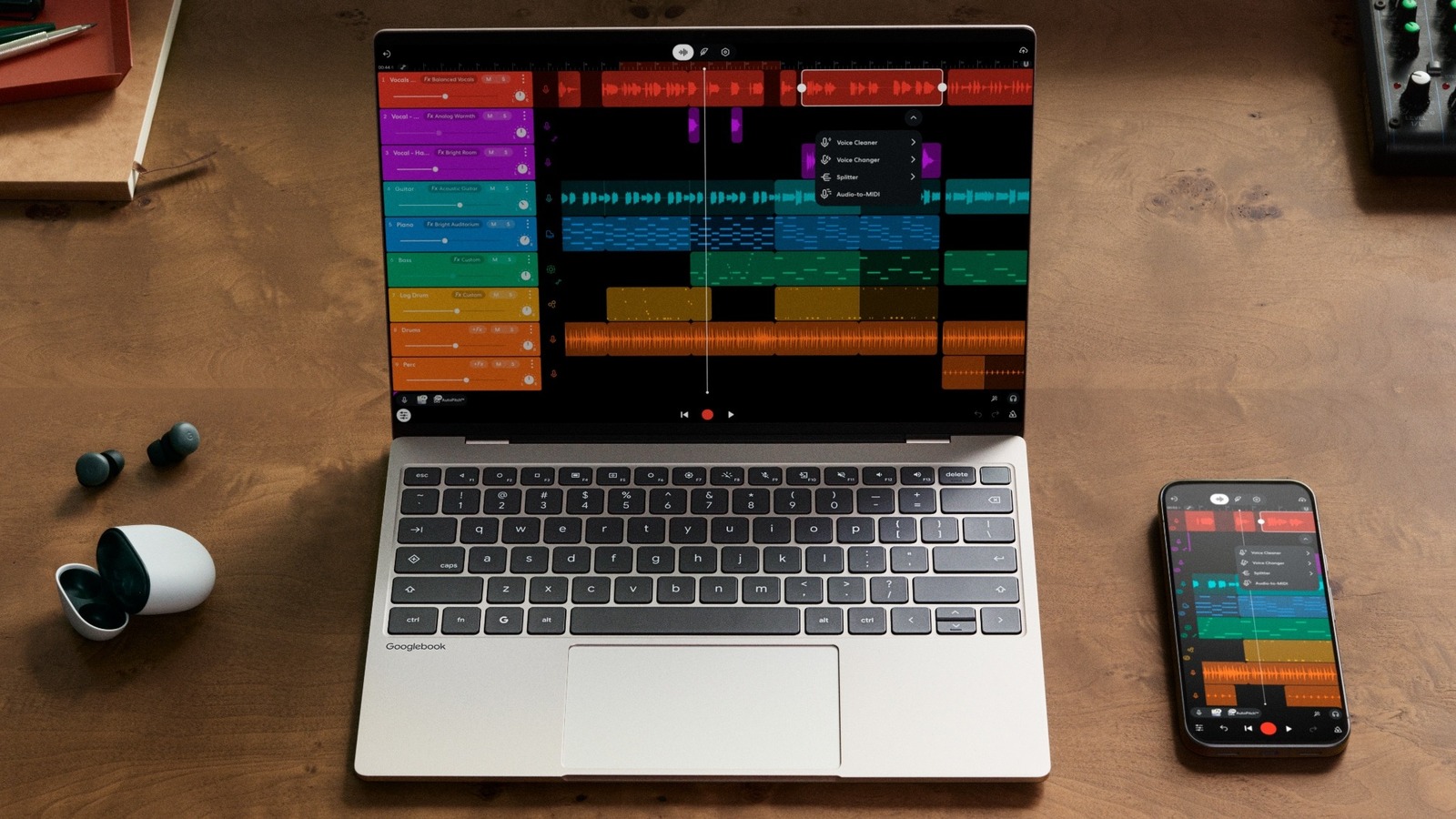
Googlebooks laptops hit pre-order on September 21, 2026, promising a laptop that feels as native to an Android phone as a Mac does to an iPhone. The devices, slated for delivery on October 4, run Android at the core, embed Gemini AI features, and introduce a suite of phone-to-laptop handoff tools that go beyond ChromeOS’s existing continuity options.
1. Android becomes the OS, not a sidecar
- Full Android stack – Unlike Chromebooks, which layer ChromeOS over a Linux kernel, Googlebooks run Android itself, giving users direct access to the Play Store, native Android UI, and system-level permissions.
- Linux terminal – An isolated Linux environment with a full terminal is bundled, allowing developers to compile code, run containers, or manage servers without leaving the laptop.
- Security continuity – The Titan security chip and built-in malware protection from Chromebooks are retained, ensuring the same hardware-rooted trust model.
The shift means developers can target a single codebase for both phone and laptop, potentially reducing fragmentation in the Android ecosystem. It also signals Google’s intent to treat laptops as extensions of the mobile experience rather than separate desktop platforms.
2. Seamless handoff: "continue on" and app streaming
- Instant app transfer – At the launch event, Google demonstrated BandLab projects moving from a phone to a laptop in seconds, preserving multitrack sessions without manual export.
- Gmail web fallback – Opening Gmail on a phone triggers the web interface on the laptop, keeping the same conversation view and drafts.
- Files app integration – The Android phone appears as a node in the laptop’s Files sidebar, letting users drag-and-drop photos, documents, or APKs directly onto the laptop’s storage.
- Casting dock icon – A new dock button streams any Android app to the laptop, effectively turning the laptop into a larger display for phone-only software.
These features aim to eliminate the friction of “copy-paste-open” workflows that have plagued cross-device productivity for years. While Microsoft’s "Link to Windows" already offers similar mirroring, Googlebooks’ approach streams the app itself rather than a mirrored screen, preserving touch input and sensor data on the laptop.
3. Gemini-powered AI tools upgrade the laptop experience
- Magic Pointer – An AI-driven cursor that predicts where you’ll click based on context, reducing hand movement for repetitive tasks.
- Quick Insert 2.0 – Building on the 2024 ChromeOS feature, the updated menu suggests code snippets, email templates, or design assets powered by Gemini’s large-language model.
- On-device inference – The laptops ship with a dedicated AI accelerator (similar to the Pixel 8’s Tensor chip) to run Gemini models locally, minimizing latency and protecting privacy.
Google positions these tools as productivity boosters for developers, creators, and students. Early benchmarks shared at the event showed a 30 % reduction in mouse travel distance for typical office tasks, though real-world impact will depend on software adoption.
4. Hardware partners and spec sheet snapshot
| Partner | Model | CPU | RAM | Storage | Display | Battery | Price (USD) |
|---|---|---|---|---|---|---|---|
| Lenovo | ThinkBook X1 | Intel i7-1365U | 16 GB LPDDR5 | 512 GB SSD | 13.3" 3K OLED | 65 Wh | 1,299 |
| ASUS | ZenBook Flex | AMD Ryzen 7 7840U | 16 GB LPDDR5 | 1 TB SSD | 14" 2.8K IPS | 70 Wh | 1,199 |
| Samsung | GalaxyBook Pro | Snapdragon 8cx Gen 3 | 12 GB LPDDR5 | 256 GB SSD | 12.4" AMOLED | 60 Wh | 999 |
All three reference designs include the new Magic Pointer key on the keyboard, a dedicated AI accelerator, and a USB-C port that supports fast-charging and DisplayPort Alt-Mode. The Snapdragon-based model highlights Google’s push for ARM-first laptops, aligning with the Android-centric OS.
5. Market implications and what to watch
- Developer ecosystem shift – By sharing a codebase between phone and laptop, Google reduces the need for separate UI adaptations, which could accelerate adoption of Android-first productivity apps.
- Enterprise adoption hurdle – Enterprises that rely on Windows-only line-of-business software may still view Googlebooks as niche until broader compatibility layers (e.g., Wine or Parallels) mature.
- Education angle – The integrated AI and seamless handoff align with K-12 initiatives that favor cloud-based learning tools; Google’s own "Googlebook Laptop with Gemini AI" analysis notes a potential boost in classroom deployments.
- Competitive response – Apple’s continuity features already set a high bar; Microsoft’s "Link to Windows" will likely receive updates to close the gap, especially around app streaming.
- Regulatory watch – The deep phone-laptop data sharing raises privacy questions under GDPR and CCPA. Google’s on-device AI processing mitigates some concerns, but regulators may scrutinize cross-device telemetry.
What to watch next – The first wave of Googlebooks will ship with Android 14 and Gemini 2.0. Watch for software updates that enable third-party app handoff, and for developer feedback on the Linux terminal’s usability. The success of the Magic Pointer will hinge on real-world ergonomics studies, which Google plans to publish later this year. For a deeper look at how Googlebooks could reshape education, see the analysis of the "Googlebook Laptop with Gemini AI" strategy.
This article draws on reporting from Engadget and adds analysis of ecosystem impact. All specifications are based on the launch event and partner announcements.
Related coverage
- Is the Original Nintendo Switch 2026 Still Worth Buying?
- Meta’s Muse Beats ChatGPT Mobile Launch in First 12 Days
- Googlebook Laptop with Gemini AI: A Strategic Move to Capture the K-12 Market