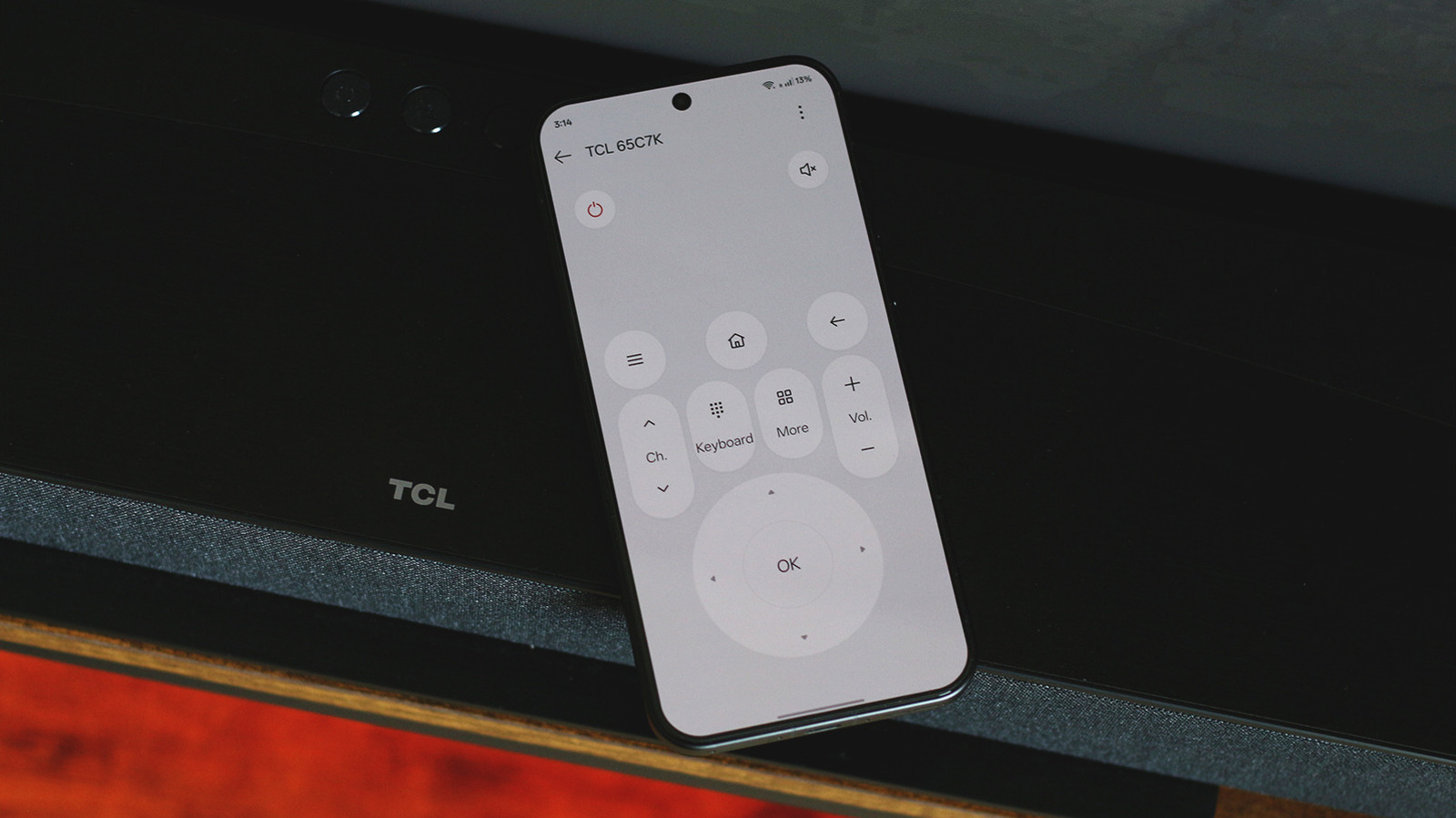
Phone-Based Remote Control Gains Momentum
On Sept. 20, 2026, Engadget reported that modern smartphones can now act as universal remote controls for virtually any smart TV, leveraging built-in infrared (IR) blasters, official companion apps, and third-party universal remote software. The shift reduces reliance on physical remotes, improves text entry, and opens new integration pathways for developers building TV-centric experiences.
IR-Enabled Phones Offer Direct Control
A small subset of Android devices still ship with IR blasters—hardware that emits the same infrared pulses used by legacy TV remotes. When present, the preinstalled IR remote app can scan the TV manufacturer, test command sets, and even power the TV on or off. This hardware-level control works regardless of Wi-Fi conditions, making it valuable for users in bandwidth-constrained environments. However, mainstream flagships from Samsung, Google, and Apple lack IR, limiting this approach to niche models.
Official Companion Apps Provide Full-Featured Remotes
Google TV and Android TV platforms expose a dedicated Google TV app for Android and iOS. After launching the app, users tap Connect TV, select their device from a local network list, and gain access to a D-pad, volume sliders, and a QWERTY keyboard that appears whenever a TV text field is focused. The Roku and Fire TV apps follow the same pattern, requiring the same Wi-Fi network and Bluetooth enabled on both ends. These apps also double as content hubs, allowing users to curate watchlists and launch streaming services directly from the phone.
iOS Offers a Built-In Remote for Apple TV
Apple integrates a TV remote into iOS Control Center. Users add the remote tile via the + button, then control Apple TV over the local network without installing extra software. The feature is exclusive to iOS; Android users must rely on third-party solutions.
Third-Party Universal Remote Apps Fill the Gaps
When native apps lack desired features—such as Wake-on-LAN (WoL) power-on or IR fallback—users can turn to universal remote apps like TV (Apple) Remote Control on the Play Store, which boasts over 500,000 downloads and a 4.6-star rating. These apps transmit commands over Wi-Fi or, where hardware permits, via IR. Enabling WoL in the TV’s network settings lets the phone wake a standby TV, a capability often missing from official apps.
Development Implications and Ecosystem Shifts
The convergence of phone-based remote control and smart TV platforms creates a new integration surface for developers. SDKs for Google TV, Roku, and Fire TV now expose remote-control APIs that third-party apps can leverage, encouraging a competitive ecosystem of feature-rich remotes. As more TVs adopt Wi-Fi-Direct and Bluetooth Low Energy (BLE) profiles, developers can implement low-latency command streams, reducing the lag typical of infrared.
From a hardware perspective, the rarity of IR blasters suggests manufacturers are betting on network-based control. This trend aligns with the broader move toward unified smart-home hubs, where a single device (often a phone) orchestrates lighting, audio, and video. For enterprises managing conference rooms, the ability to control displays via a phone simplifies asset management and reduces the need for spare remotes.
Risks and Unresolved Questions
While Wi-Fi-based remotes are convenient, they inherit network reliability concerns. A congested or misconfigured router can render the remote unusable, forcing users back to the physical controller. Security is another vector: remote apps typically require account sign-in, and compromised credentials could allow unauthorized TV control. Developers must follow best practices for authentication and encrypt command traffic.
What to Watch Next
- Standardization of WoL on TVs: As more manufacturers expose WoL toggles, we may see a unified API that third-party apps can call without device-specific workarounds.
- BLE Remote Profiles: Emerging Bluetooth LE profiles could replace Wi-Fi for low-power, low-latency remote commands, especially on battery-constrained devices.
- Regulatory Scrutiny: With remote apps handling personal data (search queries, account credentials), privacy regulators may demand clearer disclosures, echoing broader mobile-app privacy trends.
Quick Reference Guide
How do I set up the Google TV app as a remote?
Download the Google TV app from the Play Store or App Store, ensure your phone and TV share the same Wi-Fi network, enable Bluetooth on both devices, open the app, tap Connect TV, and select your TV from the list. The app will then display a virtual remote with D-pad, volume, and keyboard controls.
Can I use my phone to turn on a TV that is in standby?
If your TV supports Wake-on-LAN, enable it in the TV’s network settings (often under Power or Advanced). Then use a universal remote app that includes a WoL feature to send the magic packet. IR-blaster phones can also power on compatible TVs directly.
Do I need a special phone to control a Roku TV?
No special hardware is required. Install the Roku mobile app, connect to the same Wi-Fi network, and pair the app with your Roku TV. The app provides a full remote interface, including a keyboard for text entry.
By consolidating remote functionality onto smartphones, users gain a more ergonomic input method and developers acquire a fresh platform for innovation. The trend underscores the broader industry move toward network-centric control, positioning phones as the de-facto universal remote in 2026 and beyond.
Related coverage
- Android Gaming Phone Specs: What to Look for in a Premium Device
- Smart TVs Aren’t Enough: Why Streaming Devices Remain Essential in 2026
- Robot Vacuums Reveal Hidden Costs and Operational Limits